TapCal is your calendar,designed around how you actually plan your day.
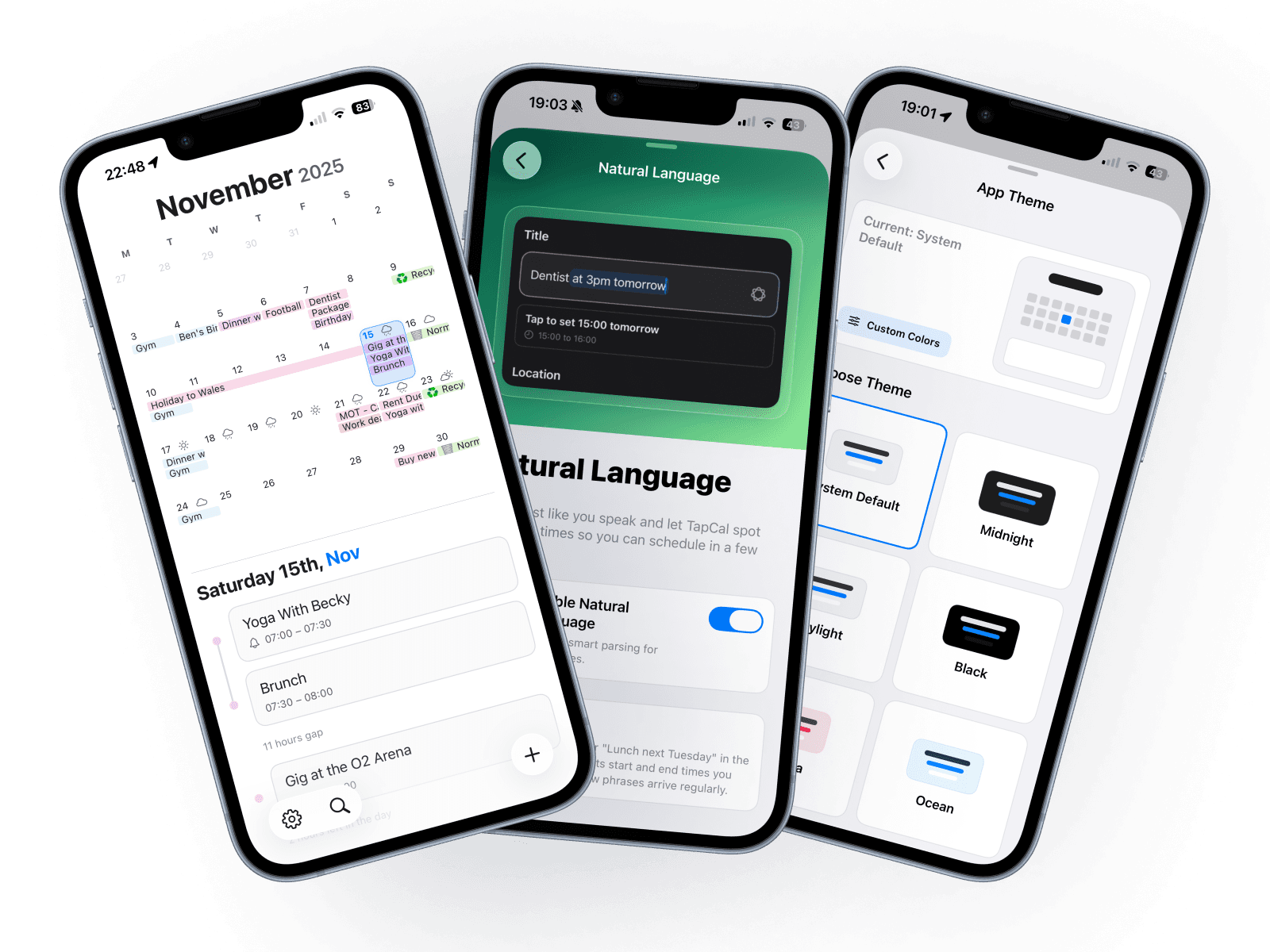
Full month views with real event titles, powerful widgets, and natural language event creation. A sleek, modern iOS calendar built to be fast, clear, and customised to you.
Beautiful Widgets
Quick access from your home screen.

Sync Everything
All your calendars in one place.




Dark Mode
Easy on the eyes, day and night.

Designed for clarity, speed, and control
TapCal gives you the information you need at a glance, with fewer taps and more thoughtful layouts. Powerful enough for power users, clear enough for everyday planning.
Full month calendar widgets that show real event titles, not just dots.
Type events the way you say them and let TapCal handle the date and time.
List, month, and heat map widgets for quick overviews of your schedule.
Style the app and widgets independently with themes and font options.
See up to 10 days of weather icons while planning your week.
Fast, responsive, and built natively for iOS so it feels right at home.
Loved by real people who live in their calendar
TapCal is shaped around how people actually use their phone to plan work, life, and everything in between.
"I stopped opening other calendar apps. The month widget alone sold me on TapCal."
— Alex P.
"Adding events with natural language is ridiculously fast. It feels like the calendar I always wanted."
— Sam W.
"The combination of clean design, useful widgets, and speed makes TapCal stay on my Home Screen."
— Jordan K.
Featured Posts and Trending Stories
Featured Blog Post
Popular Posts
Frequently asked questions
Answers to common questions about TapCal, widgets, and how it fits into your everyday planning.
Want to know more about TapCal?
Read the story behind why TapCal was built, how it is shaped around real people and their schedules, and where it is heading next.